
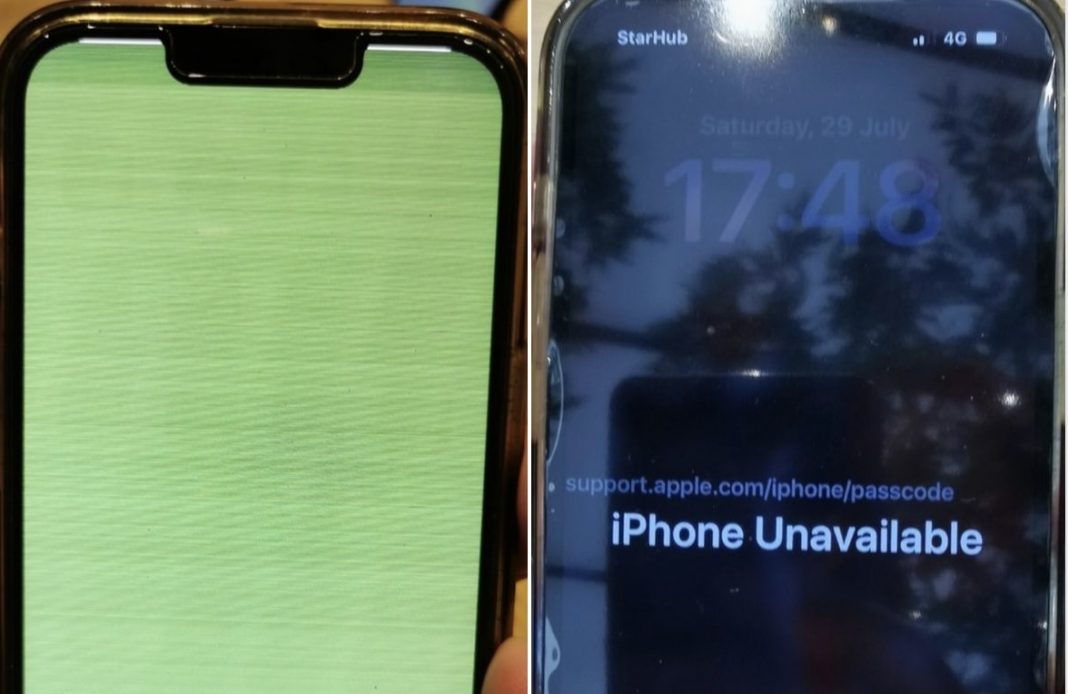

SINGAPORE: A netizen said that after his iPhone suddenly got a yellow flickering screen, technicians at Apple Orchard were able to repair it. However, the screen locked during the repair after 10 wrong password attempts, and the owner could no longer access his phone.
“I was given the only option to ‘erase iPhone’. In other words, resetting the iPhone to factory settings… I was distressed as the phone contained many apps with stored passwords, photos, and important personal and financial information,” wrote the netizen, who goes by the name Beyond BYeong on Facebook, in a post on COMPLAINT SINGAPORE on Saturday (Sept 23).

On its website, Apple tells users, “Before you update, set up iPhone to back up automatically, or back up your device manually.”
Other tech experts also urge smartphone users to back up their data before updating operating systems.
The iPhone owner noted that he had been using his iPhone 13 Pro for over 20 months with no problems but that the yellow screen problem cropped up shortly after he updated his operating system (IOS).
“The screen suddenly turned flickering yellow while I was using the phone. It was like a ‘death screen’ which there were no options to restart the phone or select any other options or settings,” the netizen wrote, adding that he was told at Apple Orchard that the problem was a “burned screen”.
His phone was inspected before the repair and was in good condition with no physical damage. When he asked the staff if the issue was due to the update, the staff “neither confirmed or denied.”
However, his problems worsened after he got his phone back and found it in locked mode.
“The technical staff from Apple store informed me that the phone was locked after ten wrong password attempts. During the repair process the password might have been prompted and entered wrongly too many times. Apple confirmed there was no way I could recover any data that was not backed up.”
He then wrote that he was puzzled as to why Apple has no security procedures in place which would allow authorised personnel from the company “to unlock the phone on exceptional grounds. In my case, it was locked due to repair and not theft. Apple could have requested for identification documents to prove I am the beneficial owner or to register my identity if required,” he added.
He also wrote that it’s a “shame” that the tech giant has no “official email which one could feedback directly and get a reply because every technical query was expected to be covered in their FAQ.”
“I would like to reach out to everyone here to take caution and take good care of their iphones. Be careful of unexpectancies like the yellow screen which might strike out of nowhere. Remember to backup your phone often. Apple is not going to be responsible if your data is gone. That is your problem,” he added.
The Independent Singapore has reached out to the netizen, as well as to Apple, for further updates or comments. /TISG
Hundreds of foreigners queue overnight in Singapore for iPhone 15 release
 Follow Google News
 Join us on WhatsApp
 Follow us on Telegram