
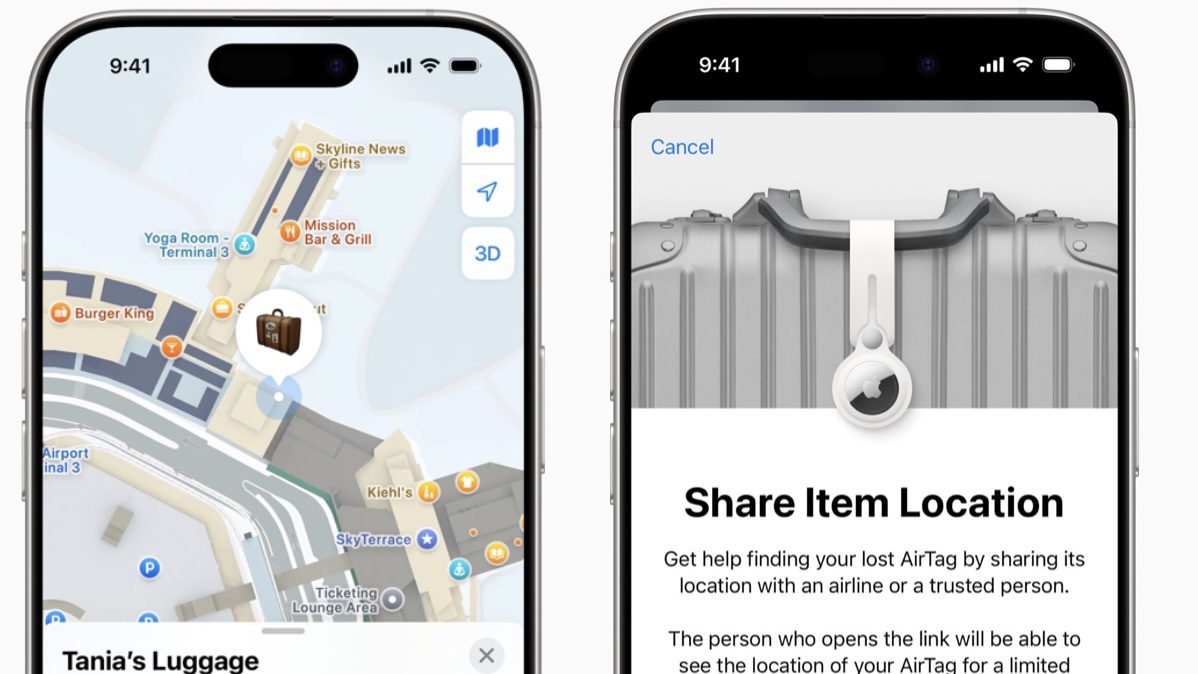

SINGAPORE: With iOS 18.2, Apple users can share a secure location link of an AirTag or Find My network accessory with others through a new feature called Share Item Location to find missing items, including luggage.
Additionally, in the months to come, over 15 airlines, including Singapore Airlines, British Airways, and United Airlines, will also accept Find My Item locations as part of their customer service process for locating mishandled or delayed bags.
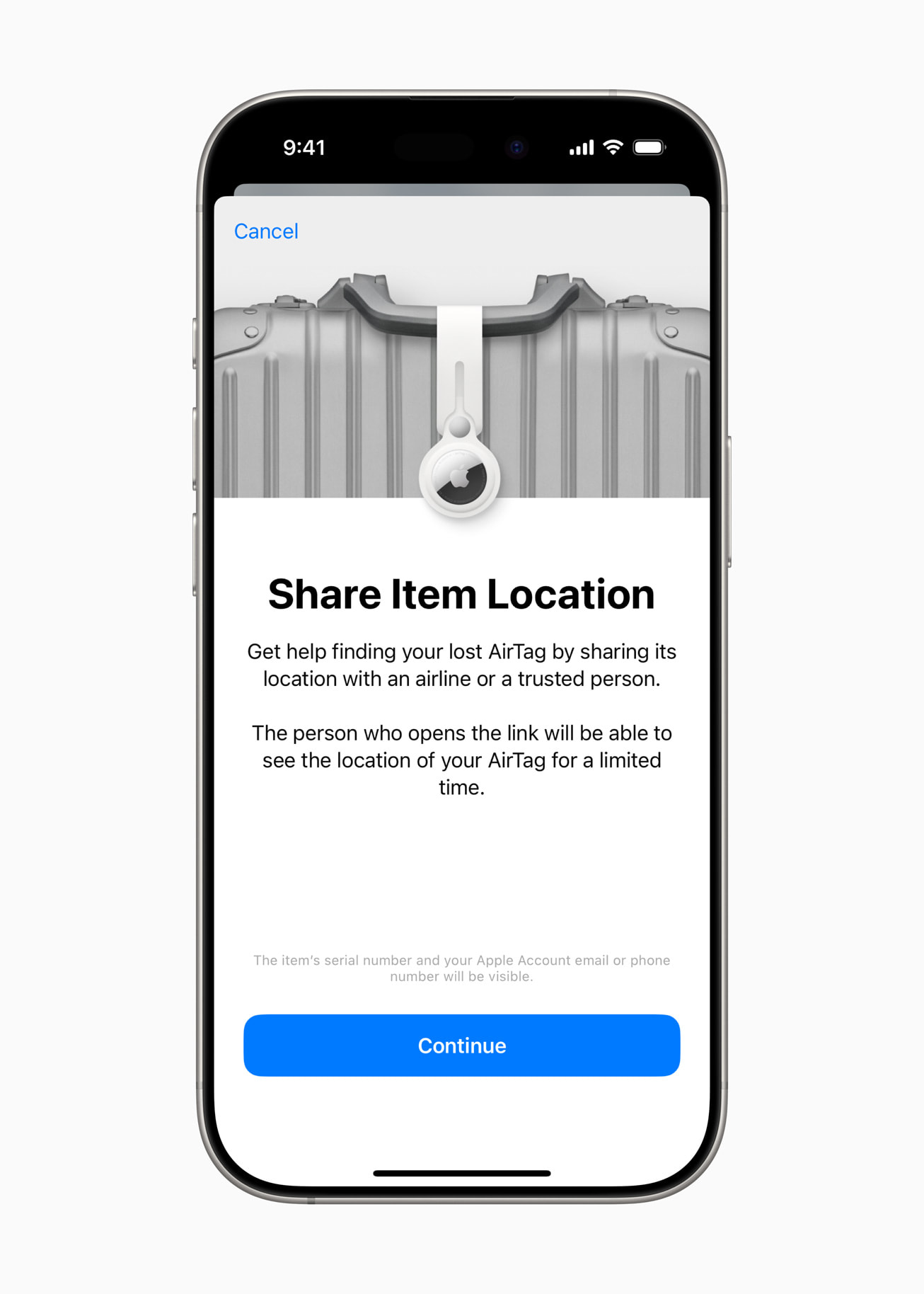
The tech giant announced in a press release on Tuesday (Nov 12) that Share Item Location is meant to help users find misplaced items by easily and securely sharing the location of an AirTag or Find My network accessory.
The new feature will be available in almost all regions around the globe when users of iPhone X and later models update to iOS 18.2.
Apple says the Find My feature was created with “privacy and safety at its core.”
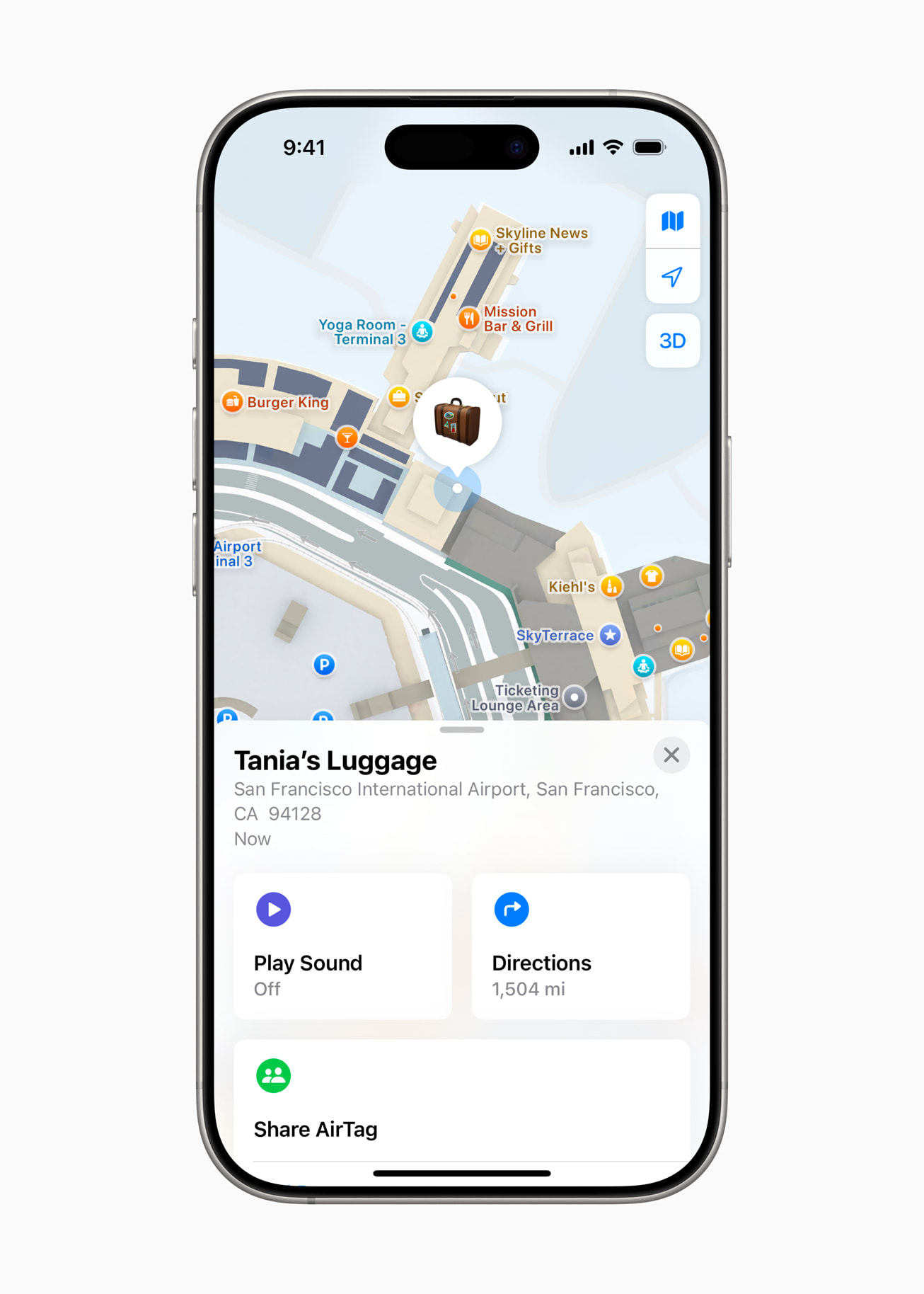
As soon as a user gets their item back, the shared location will be disabled. It automatically expires after seven days; furthermore, owners may stop it anytime.
“Find My is an essential tool for users around the world to keep track of and find their belongings,” said Eddy Cue, Apple’s senior vice president of Services.
“The Find My network and AirTag have proven to be a powerful combination for users while travelling, providing invaluable location information when bags have been misplaced or mishandled.
With Share Item Location, we’re excited to give users a new way to easily share this information directly with third parties like airlines, all while protecting their privacy,” he added.
How to use the new feature
Users may generate a Share Item Location link through the Find My app on their iPhone, iPad, or Mac.
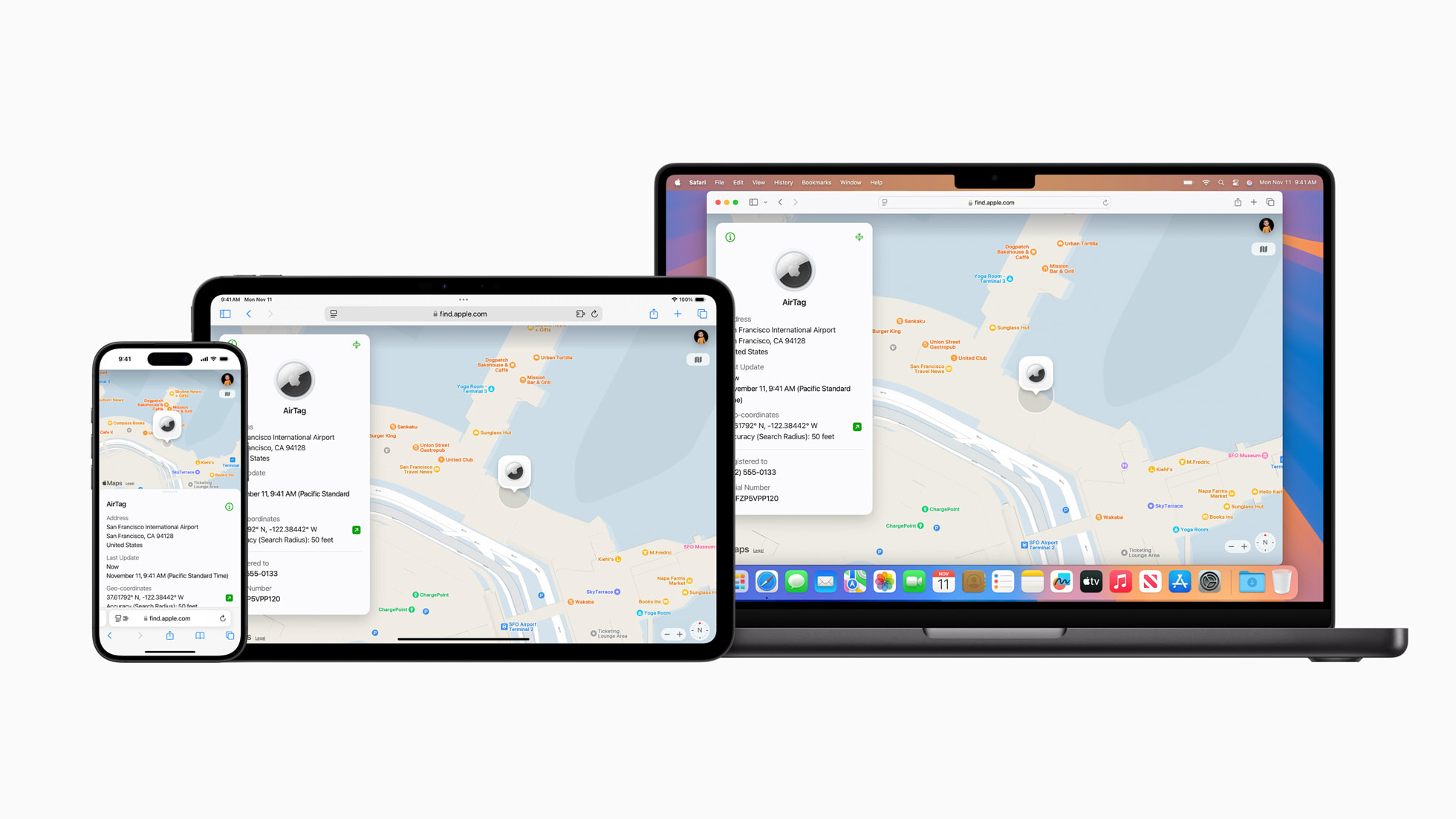
Those who receive this link can view a website that shows the item’s location on an interactive map.
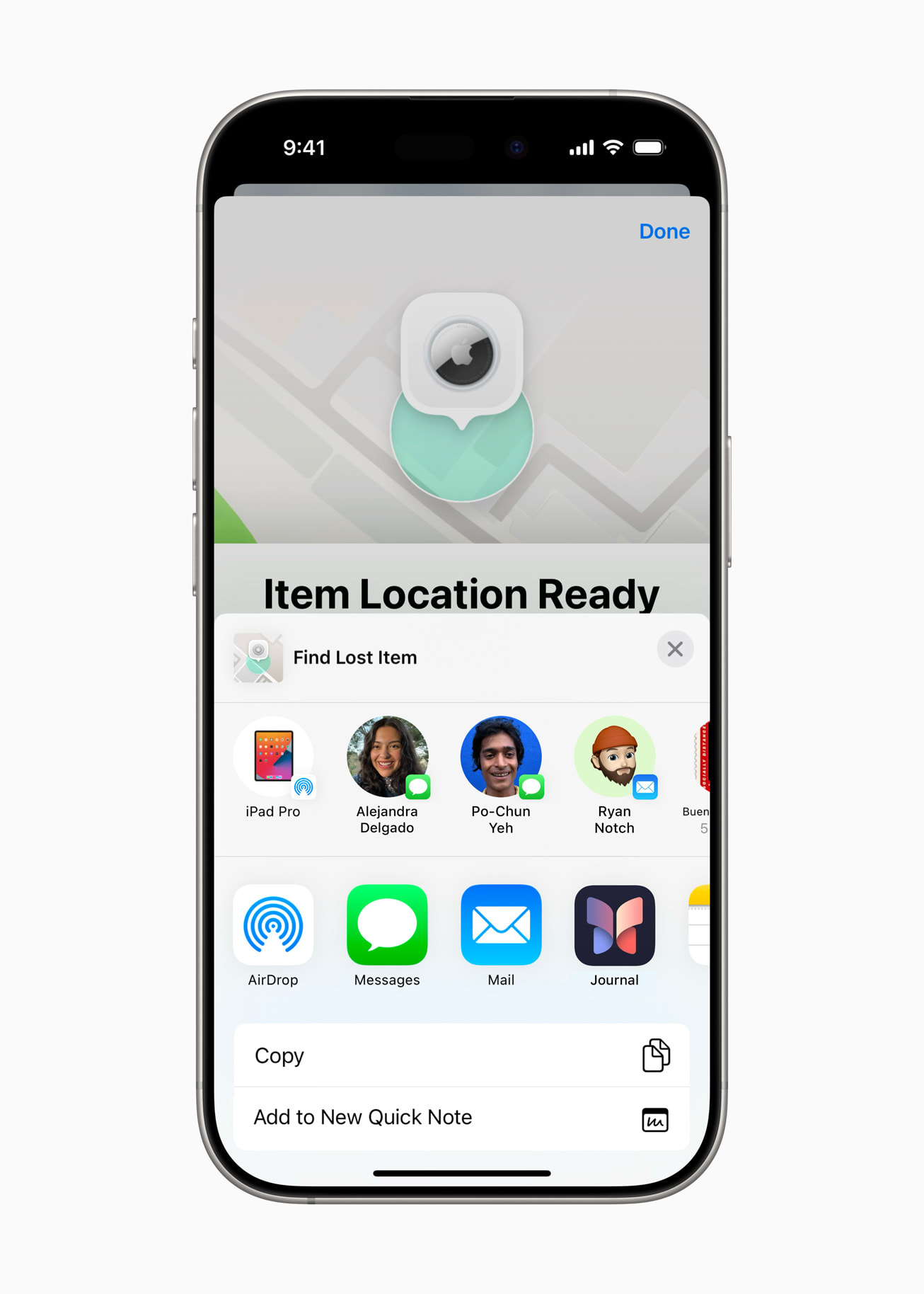
When a new location for the item becomes available, the site automatically updates and shows a timestamp of the most recent update.
Aside from the airlines mentioned above, Aer Lingus, Air Canada, Air New Zealand, Austrian Airlines, Brussels Airlines, Delta Air Lines, Eurowings, Iberia, KLM Royal Dutch Airlines, Lufthansa, Qantas, Swiss International Air Lines, Turkish Airlines, Virgin Atlantic, and Vueling will also be accepting Find My item locations in the coming months.
Apple added that more airlines will follow suit. The company has worked directly with airlines to privately and securely accept Share Item Location links.
Only a limited number of people will be given access to the shared links, and recipients will be required to authenticate to view the link through their Apple Account or partner email address.
“We know many of our customers are already travelling with AirTag in their checked bags, and this feature will soon make it easier for them to share location information with us safely and securely, helping our customer service agents work more efficiently and giving our customers added peace of mind,” Apple quoted David Kinzelman, United’s chief customer officer, as saying. /TISG
 Follow Google News
 Join us on WhatsApp
 Follow us on Telegram