
Samsung introduces SelfieType, an AI-powered virtual keyboard

2 m read
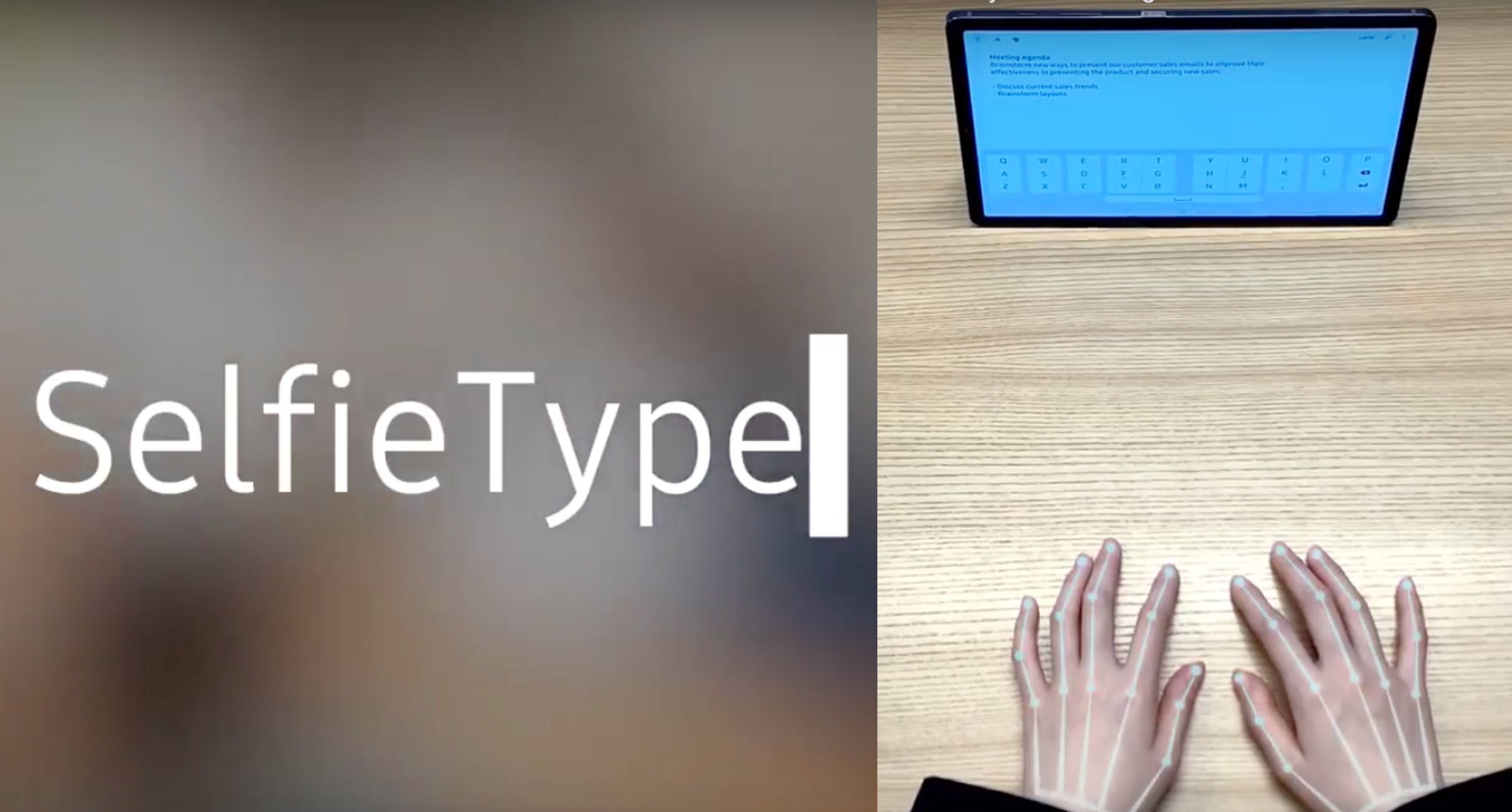
SelfieType uses AI and a device's front-facing camera to track finger typing movements and make a virtual keyboard. Photos: YouTube screen grabs
Electronics giant Samsung recently announced that it would showcase five innovative projects from its C-Lab Inside program, in addition to exciting products from four start-ups in its C-Lab Outside program at CES 2020, the world’s largest tech exhibition.
One of the projects that Samsung has chosen to highlight is extremely cool—SelfieType, a software that allows the user to turn an empty surface (like a tabletop) into a virtual keyboard, using artificial intelligence to track your finger movements. It also makes use of your front-facing camera, which isn't just for snapping the hottest selfies (and wefies!).
[caption id="attachment_177876" align="aligncenter" width="519"] Photo: Samsung[/caption]
The way we work is a changing landscape. In an age of flexible work hours, work-from-home set-ups, freelance or contracted work, and the ever-increasing number of digital nomads, doing your nine-to-five has taken on a very different meaning.
SelfieType's timing is on the money, with most of us conducting business from our smartphones. Despite bigger screens and sharper displays, typing on a mobile phone (emails, reports, articles, etc.) is a tedious and frustrating task.
Bluetooth keyboards are a thing, but they're not quite comfortable to use, being too small for proper typing yet somewhat annoying to lug around. There are even laser projected keyboards on the market, but they are not very accurate and tend to be more of a fun gadget than an effective tool.
Photo: Samsung[/caption]
The way we work is a changing landscape. In an age of flexible work hours, work-from-home set-ups, freelance or contracted work, and the ever-increasing number of digital nomads, doing your nine-to-five has taken on a very different meaning.
SelfieType's timing is on the money, with most of us conducting business from our smartphones. Despite bigger screens and sharper displays, typing on a mobile phone (emails, reports, articles, etc.) is a tedious and frustrating task.
Bluetooth keyboards are a thing, but they're not quite comfortable to use, being too small for proper typing yet somewhat annoying to lug around. There are even laser projected keyboards on the market, but they are not very accurate and tend to be more of a fun gadget than an effective tool.
Photo: Samsung[/caption]
The way we work is a changing landscape. In an age of flexible work hours, work-from-home set-ups, freelance or contracted work, and the ever-increasing number of digital nomads, doing your nine-to-five has taken on a very different meaning.
SelfieType's timing is on the money, with most of us conducting business from our smartphones. Despite bigger screens and sharper displays, typing on a mobile phone (emails, reports, articles, etc.) is a tedious and frustrating task.
Bluetooth keyboards are a thing, but they're not quite comfortable to use, being too small for proper typing yet somewhat annoying to lug around. There are even laser projected keyboards on the market, but they are not very accurate and tend to be more of a fun gadget than an effective tool.
SelfieType, which uses AI and your phone’s front-facing camera to track your hands and finger movements as they type on an invisible keyboard in front of you, has the potential to be great—there's nothing to carry, plug in or charge.
Newsletter
Get updates straight to your inbox
Check out this video published by Samsung Newsroom on YouTube:
https://www.youtube.com/watch?v=LRFvUYQ_SZ0&feature=emb_logo
Here's how it works: SelfieType uses the front-facing camera of a device (smartphone, tablet or laptop) to follow the movements of your fingers as you type and convert them into the standard QWERTY keyboard layout on your screen.
Using the SelfieType software is straightforward and does not require any physical equipment. If it proves its accuracy, ease of use and consistency, SelfieType could easily change the way we work on the go. /TISG