
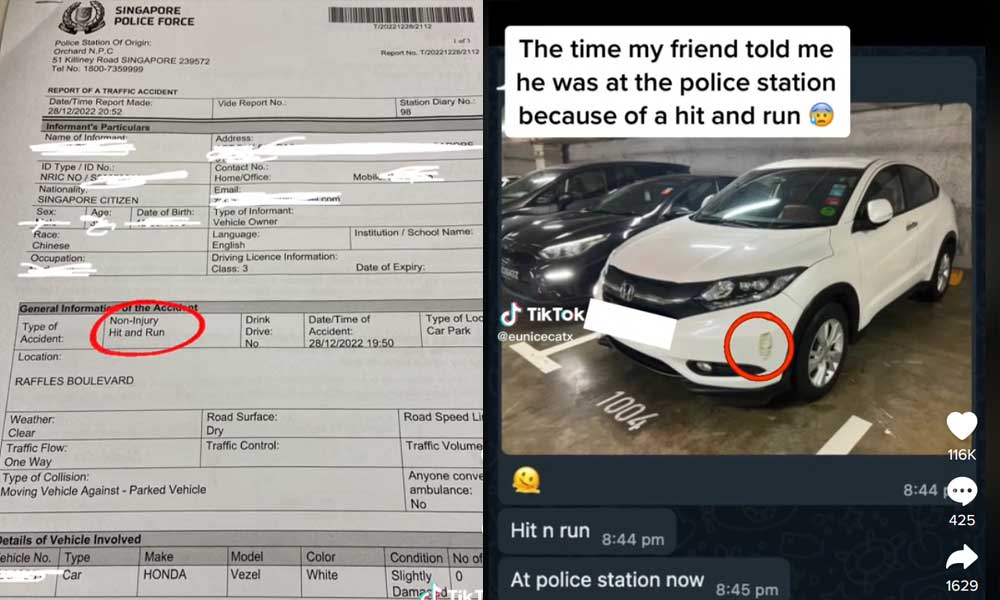

SINGAPORE: Singaporeans are rolling their eyes at a viral story of how a local driver reported an alleged hit-and-run case to the police when he was the one who damaged his own car.
A friend of the driver, TikTok user @eunicecatx, shared the story online and said that the driver sent her a picture of his scratched car along with a text message that he was lodging a police report over what he believed was a hit-and-run case.
@eunicecatx He reported himself to the police during Christmas 🤣 #fyp #funnyvideos #hitandrun #humor
Eunice posted a photo of the police report and said that her friend was later told by the police that he could uncover the culprit if he watched the dashboard camera footage from his car. The driver subsequently realised that he had unknowingly damaged the car while driving in the carpark before parking.
Eunice’s video has already earned over two million views. When one follower asked her why the driver didn’t think to review the dashboard camera footage before wasting the police’s time, she said: “He has the assumption that someone hit his car after he parked, therefore he only watched the part after he parked his car not before.”
 Follow Google News
 Join us on WhatsApp
 Follow us on Telegram